Is Toy Car to Real Car AI Free? DIY Guide
Last updated:
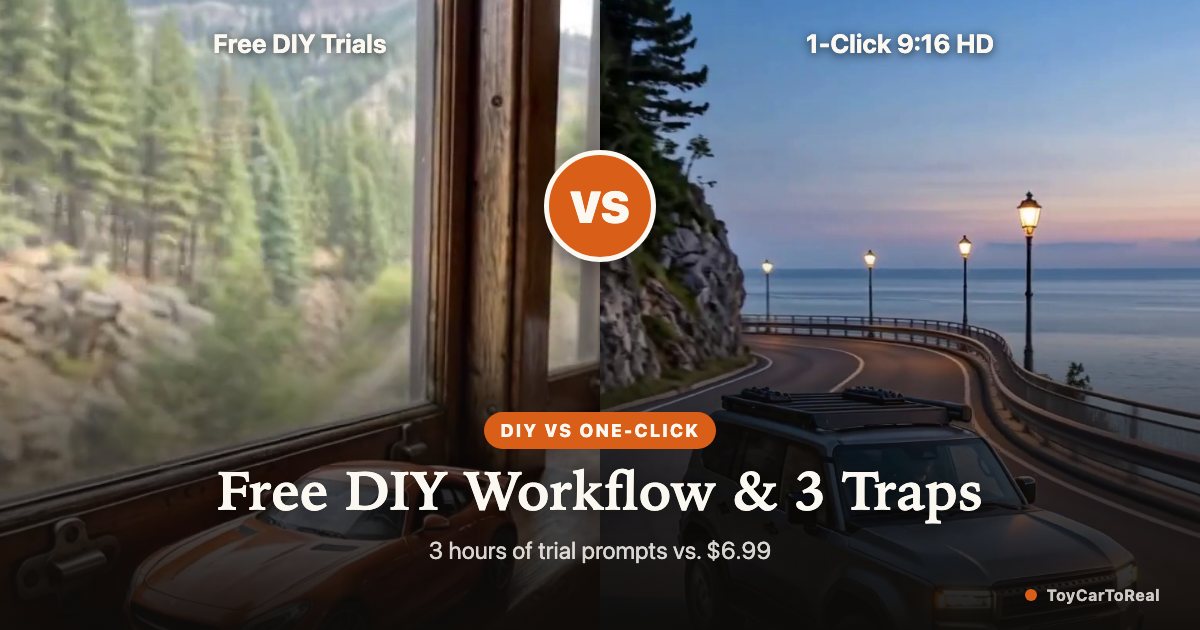
With the viral train-window car transition commanding millions of views across TikTok and Instagram Reels, many car enthusiasts and creators ask a practical question: can you make a toy car to real car AI video for free? The short answer is yes—if you are willing to spend hours piecing together free image trials, keyframe interpolation tools, and manual audio editing. This honest guide breaks down the 4-step DIY process using free promotional credits, uncovers the three most common generation failure traps, and compares free trial-and-error against dedicated one-click generation.
1. The reality of 'free' AI video tools
Running high-definition video diffusion models requires substantial GPU compute. A single 10-to-15-second render consumes hundreds of tensor core seconds on enterprise servers. As a result, truly 'free' commercial tools are economically unsustainable without compromises.
Most platforms advertising '100% free AI video generation' enforce steep tradeoffs: massive watermarks stamped across the vehicle, low resolution (such as 360p or 480p), multi-hour queuing delays, or deceptive subscriptions that secretly bill high monthly fees after a brief trial. However, tech-savvy creators can still assemble a zero-dollar workflow by combining signup credits across multiple foundation models.
2. The step-by-step free DIY workflow
If you want to create the video yourself without spending money, here is the working four-step workflow using trial credits on platforms like Midjourney, Flux, Kling, or MiniMax:
Step 1: Synthesize the miniature first frame. Take a clear side photo of your car and upload it to an image model with free credits. Prompt it to place a 1:18 scale die-cast replica of your exact car onto an interior train window sill with bright daylight streaming through the glass and motion-blurred scenery outside.
Step 2: Generate the full-size road last frame. Using the same reference car photo, prompt the image model to place the full-size car onto a wet night expressway or race track. Crucially, specify that the viewing angle, bumper heading direction, wheel rims, and paint specular reflections must match the first frame.
Step 3: Keyframe video interpolation. Take the two synthesized images and upload them to a video diffusion model that supports start and end keyframes (such as MiniMax H3 or Kling via free trial allocations). Provide a detailed camera prompt describing the train entering a tunnel, darkness concealing the scale change, and the car emerging onto the open road.
Step 4: Manual audio synchronization. Download the silent video file, import it into a free editor like CapCut, and manually layer sound effects: train rail clatter transitioning into tunnel reverberation, followed by an aggressive engine roar and tire pavement hiss.
3. The 3 major failure traps in DIY generation
While the DIY route is technically possible, video diffusion models frequently fail during scale handoffs. Expect to encounter three recurring failure traps:
1. Direction flipping and mirroring: Video diffusion models frequently lose spatial orientation inside dark tunnels. A car facing forward-left in the first frame may emerge from the tunnel reversed and driving toward the right. This destroys spatial continuity and ruins the shot.
2. Wheel rim melting and badge hallucination: Foundation models often struggle with complex mechanical geometry. During the interpolation phase, alloy wheel spokes frequently morph, brake calipers disappear, or fake generic badges replace authentic emblems.
3. Lighting and temperature mismatch: If your opening window frame features warm morning daylight and your closing road frame features cool blue night tones, the interpolation model may produce jarring strobe artifacts or color banding across the car bodywork during the tunnel sequence.
| Evaluation Metric | Free DIY Route (Flux + Kling/MiniMax Trials) | ToyCarToReal One-Click (From $6.99) |
|---|---|---|
| Out-of-Pocket Cost | $0 (relies on initial promotional credits) | From $6.99 (covers 1 full ~15s 768p HD video) |
| Time Required | 2 to 3.5 hours (prompt tuning, multiple reruns) | 1 min upload, 4-6 min automated cloud delivery |
| Failure Rate | High (direction flips & rim warping in >60% of runs) | Low (identity-locked prompts + auto refund on fail) |
| Aspect Ratio | Typically 16:9 widescreen (requires mobile cropping) | Native 9:16 vertical (optimized for Reels & TikTok) |
| Soundtrack | Silent (requires manual sound effect sourcing) | Synthesized train-to-tunnel-to-engine audio included |
| Watermark & Quality | Often stamped with promotional platform watermarks | 100% watermark-free in 480p or 768p HD MP4 |
4. The real trade-off: 3 hours of iteration vs. $6.99
The ultimate choice comes down to how you value your time. If you enjoy prompt crafting, experimenting with latent diffusion seeds, and editing audio tracks in video software, the free DIY path offers a rewarding technical exercise.
However, if your goal is simply to get a polished, high-definition video of your car ready to post on TikTok or Instagram Reels, spending $6.99 for an automated, watermark-free render saves hours of frustration. Furthermore, with ToyCarToReal's automated refund policy, you never lose credits if a render encounters a technical fault.
FAQ
Can I get free credits on ToyCarToReal?
We do not offer free trial tiers because high-definition video diffusion models require substantial dedicated GPU compute for every render. We prioritize delivering uncompressed 768p HD outputs with zero watermarks rather than ad-supported free trials.
What is the cheapest way to make the video myself?
The cheapest DIY method is using free registration credits on tools like Kling AI or MiniMax to generate an image-to-video prompt. However, you will need to manually align orientation, fix wheel distortions, and spend several hours testing prompts.
Do free AI generators include watermarks?
Yes. Almost every free AI video platform places a visible watermark in the corner or center of your video, which reduces watch-through rates on Instagram Reels and TikTok.
If my paid generation on ToyCarToReal fails, do I lose money?
Absolutely not. Our system features an automated refund policy: if the generation encounters a server timeout or render error, the spent credits are immediately returned to your account balance so you can retry with another photo.
How long does the free DIY route actually take?
Expect 2 to 3.5 hours for the full DIY process. Piecing together a toy car to real car ai generator online free means generating start and end frames on trial tiers, running video interpolation, fixing direction flips, and syncing audio manually. It is a rewarding technical exercise, but costs hours compared to an automated render.
Your Toy Car to Real Car moment is one photo away
Create my video