Toy Car to Real Car AI video~10s & ~15s · 3 AI road scenes

Toy Car to Real Car AI Video Generator

Your car, on a whole new scale. Start with one photo and explore a tiny train-window model becoming a full-size car on the road.

  • 1 photo in · no prompts
  • Native 9:16 vertical MP4
  • ~10s or ~15s · no watermark
  • Auto-refund if a render fails
The studio garage~10s / ~15s · 480p & 768p HD · 9:16

Create your video

1Your photo

Use one complete car, side-on or at a three-quarter angle, in clear daylight. Keep wheels visible and avoid people, obstructions and heavy filters.

Works with your own car, a die-cast model, a listing photo you have permission to use, or a dream garage build.

Private upload: never sold or used to train public AI models, and auto-deleted after 7 days.

2Scene

3Quality & length

Sunset Race Circuit · ~15s 768p HD · 9:16 MP4 · 18 credits
~15-second MiniMax H3 sample~15s · 768p HD · 9:16
MiniMax H3 sample

Real test clip generated by our dual-keyframe (Google Nano Banana 2.1 + MiniMax H3) pipeline from the reference car photo. Minor trim, badge or wheel details can vary across runs.

Real MiniMax H3 samples (~10s & ~15s) and clearly labeled concept animations. Pick any clip to inspect.

Train-window transformation

How the Train Window Toy Car Transition Works

Each render follows a three-act camera handoff from miniature window-sill scale to full-size highway motion.

  1. A car in miniature

    The opening places a small die-cast model beside a train window while the landscape rushes past behind it.

  2. Into the tunnel

    Darkness and forward motion hide the change of scale as the train enters the tunnel.

  3. The full-size reveal

    The camera emerges onto the open road with a full-size car carrying your reference body shape and paint color.
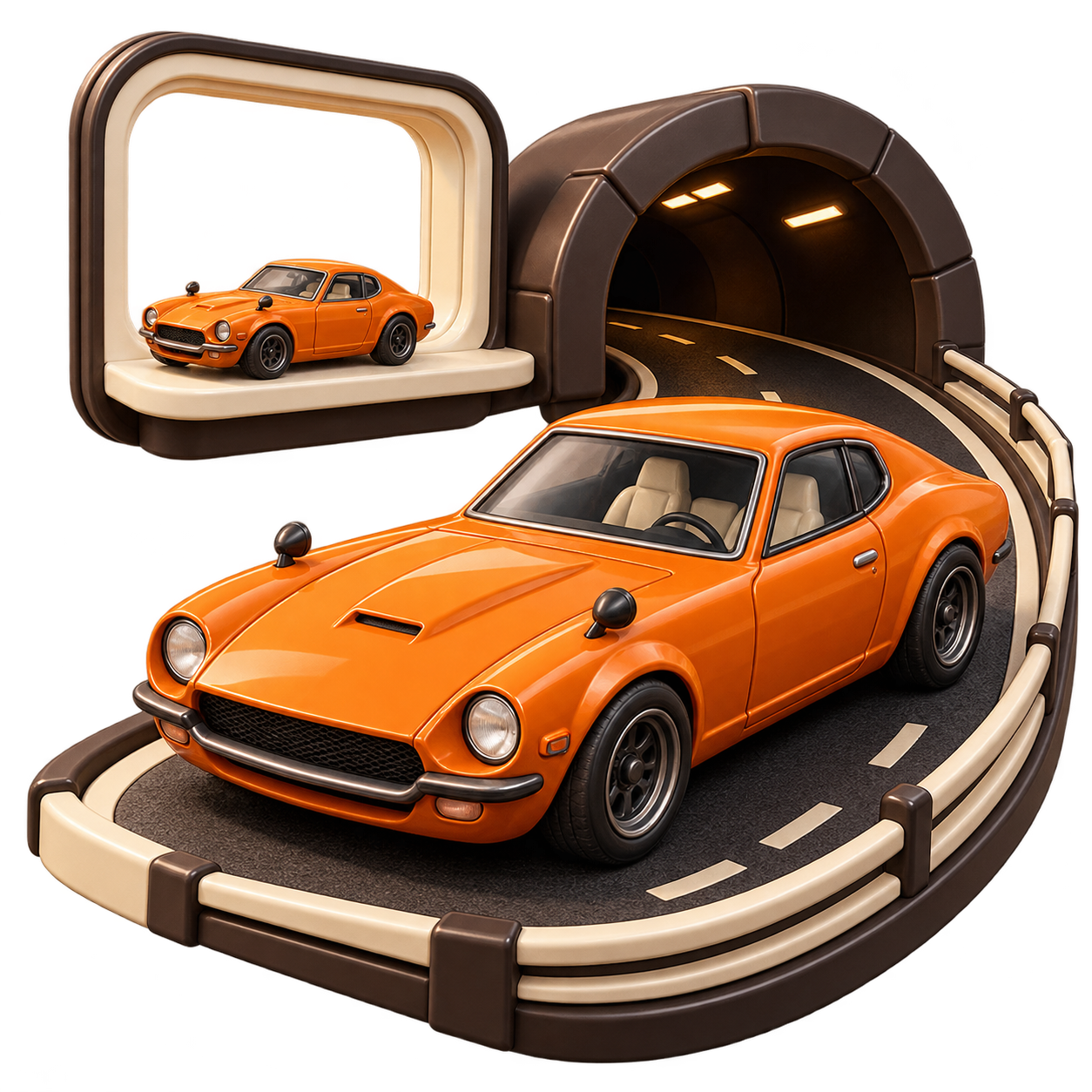
Concept illustration of a model car at a train window and a full-size car on the road, not a generated video result.
Original concept illustration

Start with a clear view of the car

Stronger source photos preserve cleaner body lines, headlights and wheel proportions during the ~10s or ~15s transition.

  1. 1

    Keep the whole car in view

    Choose a side or three-quarter front photo with breathing room around the bumpers, wheels and roofline.

  2. 2

    Use clear, even daylight

    Sharp natural light makes paint color and trim easier for the model to lock onto. Avoid heavy filters or overlapping cars.

  3. 3

    Check fine details after render

    AI video generation can subtly shift wheel spokes, badges or plates. Review your MP4 preview before sharing.

Behind the transition

Why DIY Scale Transitions Break Vehicle Identity

Getting the scale right

A toy needs believable edges, reflections and a surface to sit on. A real car needs a road, space and lighting that fit its size.

Keeping the same car

Body shape, paint and wheels make the reveal feel connected. A different silhouette halfway through breaks the illusion.

Hiding the handoff

The camera angle and moment of darkness need to line up, so the tunnel feels like a transition rather than an unrelated cut.

Two ways to make it

A filmed transition or a photo-led workflow

Film it yourselfPhoto-led workflow
Find a model and matching full-size car Start from a single car image
Match two camera angles and lighting setups Use a prepared scene as the reference
Edit the scale change and reveal Let the template guide the transition
Check the cut before exporting Review the generated car details before sharing

How it works

Make a Toy Car to Real Car video in 3 steps

  1. 1

    Bring your car photo

    Keep the whole car in view. Choose a clear side or three-quarter angle in daylight. JPG, PNG or WebP, up to 10 MB.

  2. 2

    Choose ~10s or ~15s in 480p or 768p HD

    Select your scene and duration: ~10s 480p (9 credits), ~10s 768p HD (12 credits), ~15s 480p (12 credits), or ~15s 768p HD (18 credits). Your cost appears before you start.

  3. 3

    Review, then download

    Check the job in My videos, review the whole clip and download the native 9:16 MP4 before its expiry. Finished videos are kept for 30 days after they finish.

The idea behind ToyCarToReal

Toy Car to Real Car Video Examples from One Photo

An AI-generated trial made from the reference photo. Watch the toy-to-road transition; vehicle details can change. This reference trial is not a customer result.

1

Wet Night Expressway

Daytime train sill through dark tunnel to glossy night highway.

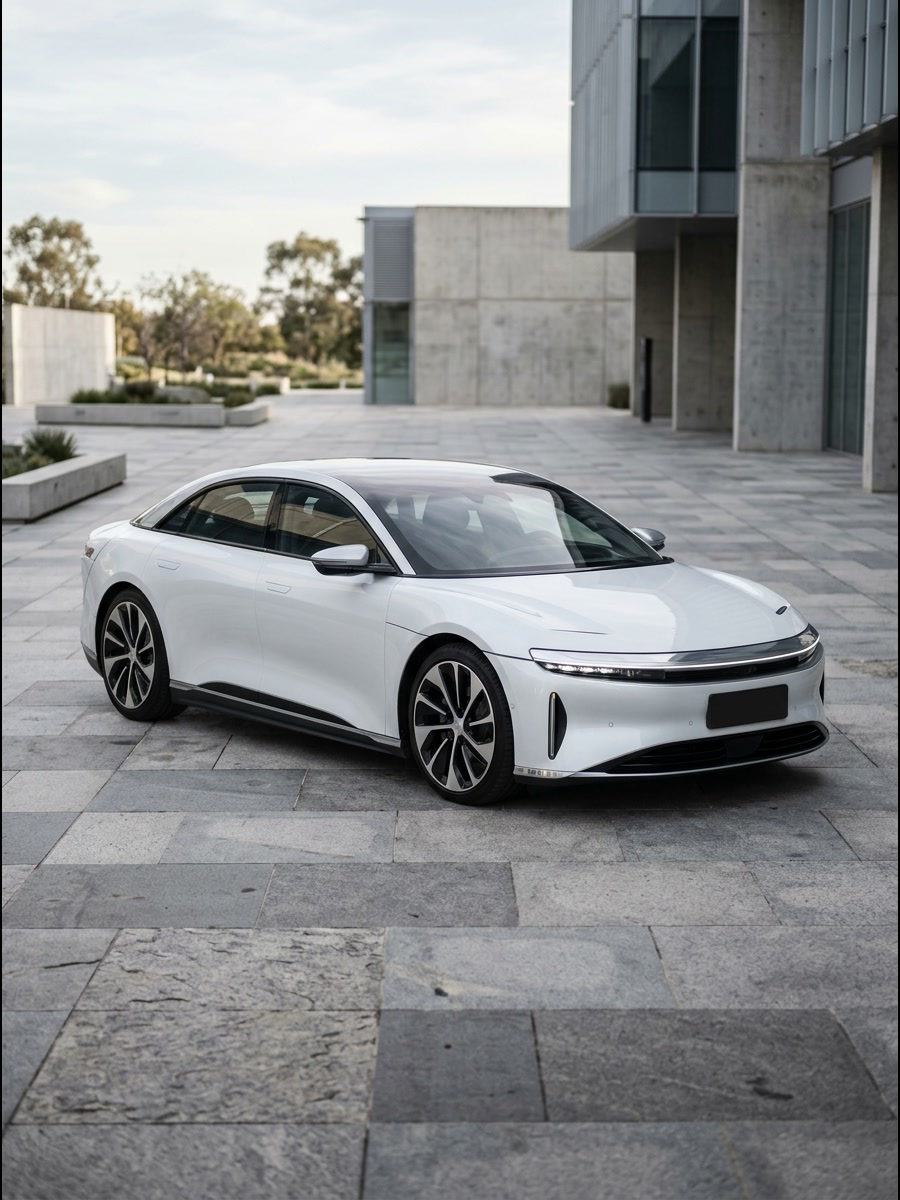
Pearl-white electric sedan parked on a stone plaza, source photo for the Wet Night Expressway toy-to-real car video
Reference photo

AI-generated trial

2

Sunset Race Circuit

Bullet-train window through mountain tunnel onto golden-hour track.

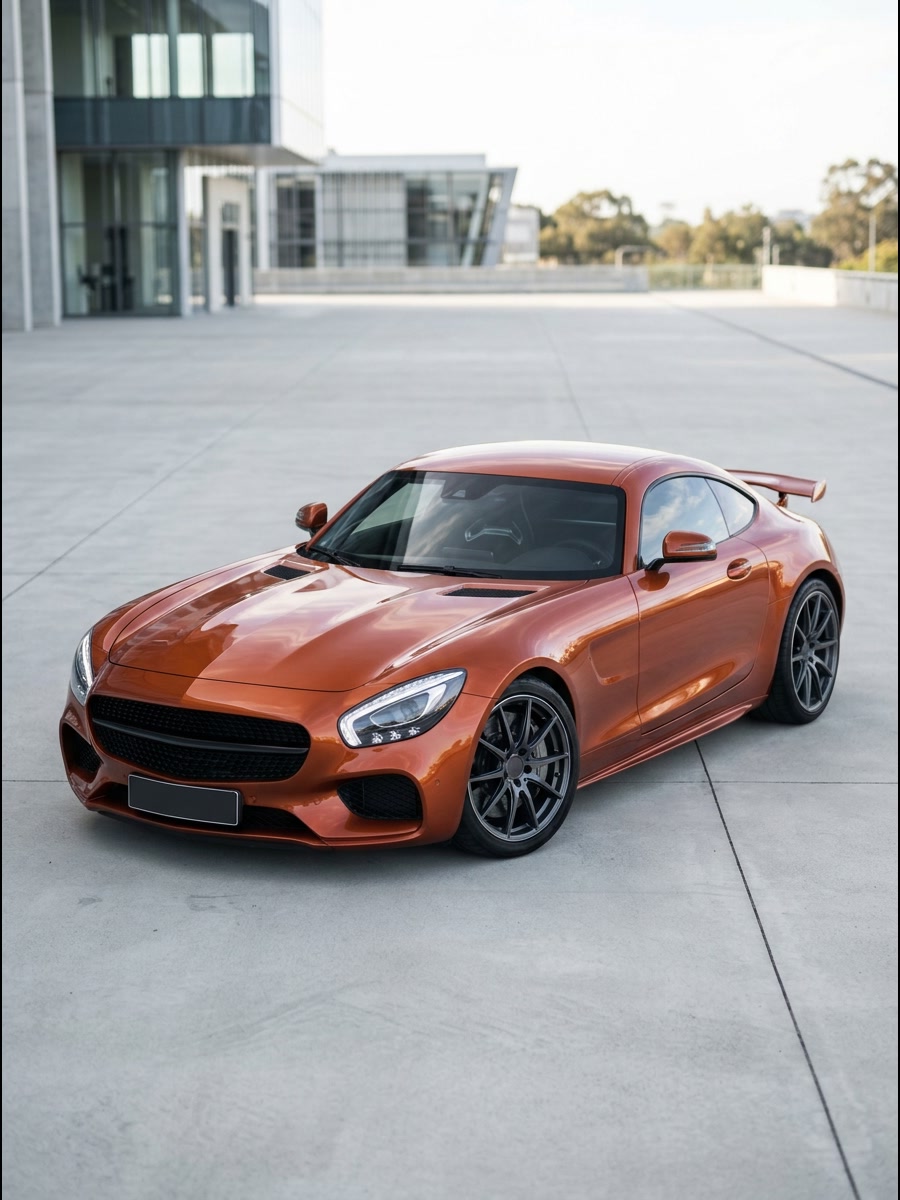
Copper-orange sports coupe with rear wing on concrete, source photo for the Sunset Race Circuit transition video
Reference photo

AI-generated trial

3

Coastal Cliff Highway

Vintage scenic train through rock cavern to twilight ocean cliffs.

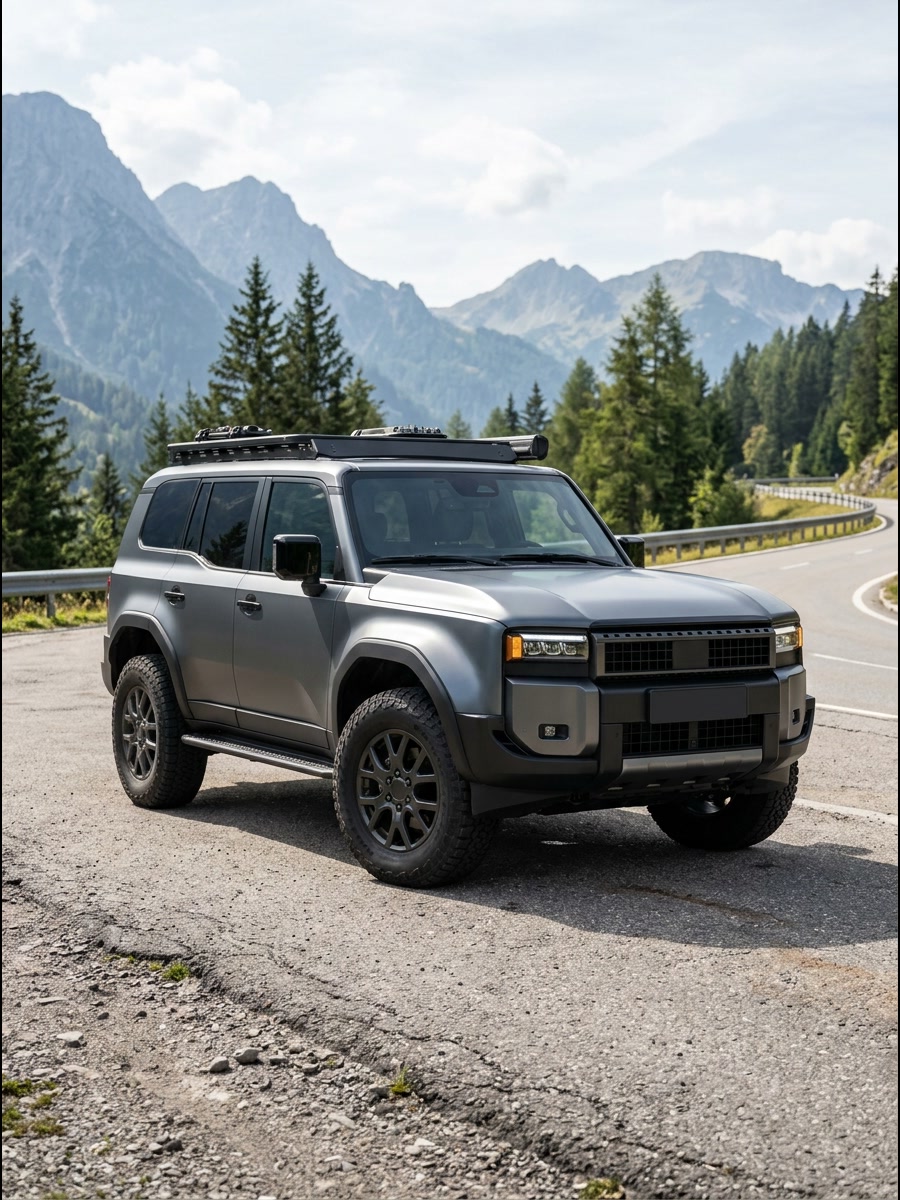
Matte charcoal off-road SUV with roof rack on an alpine road, source photo for the Coastal Cliff Highway transition
Reference photo

AI-generated trial

A change of scale

What is Toy Car to Real Car?

The Toy Car to Real Car trend is a scale-change illusion: a miniature vehicle becomes a full-size car. Powered by a specialized AI car video generator, the train window car transition shows a model on a window sill before a tunnel hides the switch to a car on the road.

ToyCarToReal uses your car photo and dual-keyframe scene prompts to create this toy car transformation with Google Nano Banana 2.1 and MiniMax H3 through yir.ai across ~10s and ~15s durations. Believable car details and smooth motion still need to be checked in every result.

Explore the Toy Car to Real Car AI guide

At a glance

ToyCarToReal specs

Input
One clear photo of a real or miniature model car, JPG, PNG, WebP up to 10 MB
Scenes
Wet Night Expressway, Sunset Race Circuit, Coastal Cliff Highway
Video length
~10s or ~15s
Output
Vertical 9:16 MP4 in 480p or 768p HD, no watermark
Price
9–18 credits per clip by length and resolution; packs from $6.99 for 18 credits
Credits
Never expire, no subscription
Render time
A few minutes
Failed renders
Credits refunded automatically

Built around your car

What goes into a Toy Car to Real Car AI clip

One clear reference

Use your car or a model you photographed. A single, unobstructed vehicle gives the generation a clearer visual reference.

3 prepared road scenes

Choose Wet Night Expressway, Sunset Race Circuit, or Coastal Cliff Highway. The dual-keyframe pipeline guides the miniature-to-road handoff.

Native 9:16 vertical format

The 9:16 composition is natively framed for short-form mobile feeds such as Reels, Shorts and Instagram & TikTok.

~10s or ~15s in 480p / 768p HD

Choose ~10s (from 9 credits) or ~15s (from 12 credits; 18 credits for 768p HD). Full cost is displayed before you confirm, with zero hidden fees.

Private uploads

Your reference photos are stored privately and deleted automatically 7 days after upload. Share a finished video only when you choose to.

Credits returned on failure

Purchased pack credits do not expire while the service operates. If a generation job fails, its credits return automatically.

Make it yours

Three Car Photos Built for a Scale Transition

Three-quarter front view of a white modern luxury sedan in even daylight, ideal for a new-car delivery reveal
01

Your new set of keys

Give a new-car announcement a reveal: the small version first, then the full-size shape. Use your own photo and check that the details still match.

Choose a car photo
Clean three-quarter angle of a metallic orange coupe showing full wheels and roofline for a scale-model road reveal
02

The model on your shelf

Imagine a favorite die-cast car on the open road. Photograph it close enough to show the wheels, with space around the entire model.

Choose a car photo
Unobstructed daylight profile of a rugged grey overland SUV framed against mountain pines for a story-driven transition
03

A car with a story

Try a restored classic, a project car or the vehicle you grew up with. A sharp archive photo can be a starting point; missing details may be invented.

Choose a car photo

Pricing

Pay once, use whenever

Videos run ~10s (from 9 credits) or ~15s (from 12 credits, 18 credits for 768p HD). One-time packs from $6.99, no subscription.

First Drive

1 × ~15s 768p HD or 2 × ~10s 480p

$6.99

18 credits

Makes 1 × ~15s 768p HD or 2 × ~10s 480p videos

  • Pack credits do not expire
  • ~10s or ~15s (480p / 768p HD)
  • Native 9:16 vertical MP4
  • Credits returned on failed jobs
Recommended

Garage

3 × ~15s 768p HD or 6 × ~10s 480p

$16.99

54 credits

Makes 3 × ~15s 768p HD or 6 × ~10s 480p videos

  • Pack credits do not expire
  • ~10s or ~15s (480p / 768p HD)
  • Native 9:16 vertical MP4
  • Credits returned on failed jobs

Collection

10 × ~15s 768p HD or 20 × ~10s 480p

$49.99

180 credits

Makes 10 × ~15s 768p HD or 20 × ~10s 480p videos

  • Pack credits do not expire
  • ~10s or ~15s (480p / 768p HD)
  • Native 9:16 vertical MP4
  • Credits returned on failed jobs

Leftover credits stay in your account and can be combined with future packs. Prices are in USD; review the final amount at checkout before paying.

Questions, answered

Photo tips, credits and video delivery.

Contact support
What is ToyCarToReal?

ToyCarToReal turns one car photo into a ~10s or ~15s AI video of the Toy Car to Real Car effect in 480p (from 9 credits) or 768p HD (18 credits for ~15s). Pick a road scene, review credit cost before starting, and inspect the finished MP4 before sharing.

How the Toy Car to Real Car illusion works
Which photo works best?

One whole car, with its wheels and body outline visible. A side or three-quarter view in even daylight is a useful starting point. Avoid cropped bumpers, nearby vehicles, people and heavy filters.

Photo tips for a better Toy Car to Real Car AI video
How long does a render take?

Processing time varies with the provider and queue. The video length is not its processing time. You can leave the page and check the job in My videos; a failed job returns its credits automatically.

Do I need a toy car and a real car?

The AI workflow starts with one photo of either a real car or a model. It does not require two matching vehicles. A model photo can leave more detail for the AI to invent.

Will the result keep every detail of my car?

No exact match is guaranteed. AI can change badges, wheels, lights and body proportions. Review the whole clip before sharing it; do not use generated footage as evidence of a vehicle’s condition.

How do credits work?

Videos run ~10s (9 credits in 480p, 12 in 768p HD) or ~15s (12 in 480p, 18 in 768p HD). Credits are bought in packs, never expire, and are refunded automatically if a render fails.

Can I use a dealer or photographer’s car image?

Only if you have permission or an appropriate license for the intended use. A picture being publicly visible does not make it yours to reuse. Prefer your own photo, with people and private details removed.

What happens to my photos?

Uploads are private, used only to make your video and deleted automatically 7 days after upload. Finished videos are kept for 30 days after they finish. Deleting your account removes everything right away.

What is the viral train window toy car trend on TikTok and Reels?

The format began in October 2026 when creator @umutcancelikis popularized a single-take illusion of a die-cast miniature on a passenger train window sill entering a dark tunnel and emerging as a full-size car on the highway. ToyCarToReal is an independent AI video generator unaffiliated with @umutcancelikis, any car manufacturer, or any toy brand.

How the train window toy car transition works
Do I need to write a prompt for the toy car to real car transition?

No prompt writing is required inside ToyCarToReal: you upload one side or three-quarter car photo, pick one of three road scenes, and our dual-keyframe pipeline handles orientation locking and tunnel lighting automatically. If you want to test raw video diffusion models yourself, read our structured prompt templates.

Copy-paste Toy Car to Real Car prompt templates
How much does one Toy Car to Real Car AI video cost?

A ~10s 480p video uses 9 credits, ~10s 768p HD or ~15s 480p uses 12 credits, and ~15s 768p HD uses 18 credits. One-time packs cost $6.99 (18 credits — enough for 1 full ~15s HD clip or 2 × ~10s 480p clips), $16.99 (54 credits), or $49.99 (180 credits). Pack credits never expire and failed renders refund automatically.

Your Toy Car to Real Car moment is one photo away

Bring a car photo you have permission to use. Create a video, review the car details and save your MP4.

Create my video · $6.99+