Toy Car to Real Car AI Filter: Fact Check
Last updated:
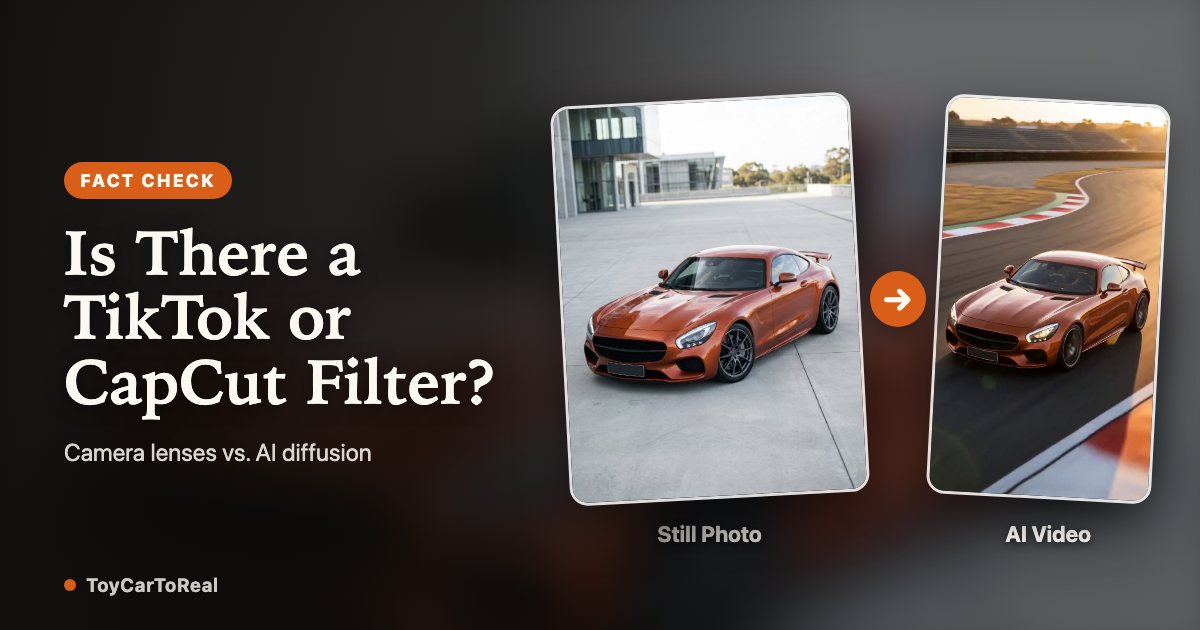
If you have scrolled through Instagram Reels or TikTok recently, you have likely seen the viral video: a tiny model car rests on a train window sill, enters a dark tunnel, and emerges on a night expressway as a roaring full-size car. Millions of viewers immediately search for the "toy car to real car filter" on TikTok, Snapchat, or CapCut. But does an instant camera filter actually exist? We tested every major platform's effect library, analyzed the underlying video diffusion technology, and explain how to create the viral transition from a single photo without editing skills.
See the Toy Car to Real Car transformation
1. The search for a TikTok and Instagram filter
When a creative transition goes viral on short-form video feeds, users naturally assume it was created using a built-in camera filter or augmented reality (AR) lens. Searching 'Toy Car to Real Car' on TikTok or Instagram yields thousands of tagged clips, leading creators to believe an effect button is waiting to be tapped.
However, tapping on the effect links in these viral clips reveals either empty search results, unrelated vehicle stickers, or manually cut video templates. The truth is that no native camera lens on TikTok, Instagram, or Snapchat can transform a miniature car into a photorealistic moving vehicle in real time.
2. Platform-by-platform test: TikTok, Reels, CapCut, Snapchat
We systematically tested the top short-form editing ecosystems to see if any built-in tools could replicate the transition:
TikTok Effects: Searching TikTok's effect gallery returns zero generative transformation filters. Existing car effects merely place 2D cartoon overlays over faces or add colored neon outlines around parked vehicles.
Instagram Reels: Instagram provides no generative diffusion lenses for vehicles. Clips marked 'AI effects' on Reels were rendered on external cloud servers before being uploaded as finished MP4 files.
CapCut Video Templates: CapCut offers transition templates titled 'Car Cut' or 'Tunnel Transition'. However, these templates require you to film two separate physical videos (one of a toy car on a ledge and one of a full-size car on a real road) and manually align the cut inside a dark mask. They cannot synthesize a driving car from a single photo.
Snapchat Lenses: Snapchat's Lens Studio supports face meshes and LiDAR world tracking, but lacks the neural weights to synthesize photorealistic asphalt reflections, speed blur, and vehicle bodywork.
| Tool / Platform | Type of Effect | Input Required | Realistic Scale Transition? | Ease of Use |
|---|---|---|---|---|
| TikTok / IG Camera | Real-time AR Filter | Live mobile camera | No (static 2D/3D stickers only) | Instant (0 taps) |
| CapCut Templates | Two-video editing mask | 2 pre-filmed video clips | Manual (requires physical filming) | Moderate (manual timing) |
| Dedicated AI Generator | Dual-keyframe diffusion | 1 still car photo | Yes (automated scale & physics) | 1-click (~4-6 min render) |
3. Why real-time AR filters cannot do this
The technical limitation comes down to compute architecture. Real-time AR filters run locally on mobile processors at 30 to 60 frames per second. They can track simple 3D face meshes or project flat textures, but they cannot perform complex neural image synthesis.
The toy-car-to-real-car transformation requires cross-frame vehicle scale interpolation. The model must preserve the exact car identity—matching paint specular sheen, aerodynamic curvature, and alloy wheel geometry—while navigating a dynamic lighting transition from daylight cabin glare to subterranean tunnel shadows and glossy wet asphalt reflections. Only generative video diffusion models (such as MiniMax H3 and Google Nano Banana) running on enterprise GPU clusters possess the parameter capacity for this illusion.
4. How dedicated AI generators replace the filter
Dedicated AI tools like ToyCarToReal replace the missing filter by packaging complex video diffusion into a simple web workflow. Rather than searching for nonexistent mobile effects or manually splicing filmed footage, creators upload a single clear photo of their car.
The generator establishes the opening miniature model on an interior train window sill, guides the camera into the dark tunnel handoff, and renders the full-size car emerging onto a chosen road scene in native 9:16 vertical MP4 format. You get the viral aesthetic without prompt engineering, video editing software, or dual-vehicle filming.
FAQ
Is there an official Toy Car to Real Car filter on TikTok?
No. TikTok has no built-in effect that turns a photo of a toy car into a full-size driving car. Viral videos tagged with this trend are pre-rendered using specialized AI video models before being uploaded.
Can I make this trend with a CapCut template?
Only if you already own two separate filmed video clips (a real toy on a ledge and a real moving car) and match the camera speed manually. CapCut templates cannot turn a single still car photo into an unedited transition.
Why can't Instagram filters create this car effect?
Real-time camera filters only overlay 2D/3D assets onto existing live camera feeds. They lack the generative diffusion power to synthesize realistic tunnel reflections, rolling asphalt motion blur, and car paint consistency.
How can I create the video without video editing skills?
Dedicated web generators like ToyCarToReal automate the entire process: upload one side or three-quarter photo of your car, pick a duration (~10s or ~15s), and the AI synthesizes both the miniature window reveal and the real highway drive in a native 9:16 vertical MP4.
Your Toy Car to Real Car moment is one photo away
Create my video